
Online booking for web developers
How a company's website sends cleaning requests to Glue. The link, the embed code, and the endpoint, fields and human check for a site with its own form.
Written for: the person who builds or maintains a company's website. The owner's guide is the online booking page.
The third of three ways to take requests: a website with its own form, maybe a price calculator, sending its answers straight to Glue. The other two need no code: sharing the link and embedding the form. The company first chooses a short name on its Booking tab, explained on those pages. Your form works whether or not its hosted page is active.
Posting from your own form
POST https://useglueapp.com/nodejs/book/<slug>
Content-Type: application/json
| Field | Required | Values |
|---|---|---|
name |
yes | the visitor's name, 2 to 80 characters |
email |
yes | a valid e-mail; a known customer's e-mail attaches the request to them |
phone |
no | digits, spaces, parentheses and dashes |
address |
no | street and number. With a place, the request makes or finds the house; without one it only makes or finds the customer |
unit |
no | apartment or suite |
city |
no | |
zipcode |
no | |
serviceType |
no | residential (default), commercial, rental |
cleaningType |
no | regular (default), deep |
serviceDate |
no | YYYY-MM-DD, today or later. With a day, the request also becomes an order on the calendar; without one, only the customer and the quote facility are created |
bedrooms, bathrooms |
no | numbers; bathrooms accepts halves |
rooms |
no | number, for commercial places |
squareFeet |
no | number |
pet |
no | yes or no |
frequency |
no | one_time, weekly, biweekly, monthly |
timePreference |
no | morning, afternoon |
estimatedPrice |
no | the price the site's own calculator showed, in dollars; it lands on the facility as its estimate |
note |
no | up to 500 characters |
humanCheck |
in production | the ALTCHA solution, see below |
website |
no | honeypot: leave it out or empty; anything in it is treated as a bot |
Responses:
| Status | Body | Meaning |
|---|---|---|
| 200 | { "success": true } |
received; the company was notified |
| 400 | { "code": "VALIDATION_ERROR", "message": "…" } |
show message to the visitor as is |
| 400 | { "code": "CAPTCHA_FAILED", "message": "…" } |
the human check failed; solve a fresh one and retry |
| 404 | { "code": "NOT_FOUND" } |
unknown slug |
| 429 | too many requests from one address; wait |
Two ceilings keep junk out: one e-mail may send 3 requests a day, and a company's page takes 40 a day, after which it answers 400 with a message until the next day and the company is told. A request is never an order: the company confirms the price and the day first.
These endpoints answer any origin, so no setup on Glue's side is needed for a new site: the human check and the rate limit are the barrier. Send no cookies with the request.
The human check
Glue refuses a request that does not prove a browser did the work, the same barrier its own login uses. There is no widget, no checkbox and nothing the visitor sees. Your code does three things:
- Get a challenge from Glue when the visitor starts filling the form.
- Solve it with the
altcha-liblibrary. It takes about a second on a laptop and runs in the background while the visitor types. - Send the result in the
humanCheckfield with the rest of the form.
This runs in the visitor's browser, so the library goes in the website's
frontend, next to the form: npm install altcha-lib, or a
<script type="module"> tag from a CDN. The browser then posts the form
straight to Glue. If your form goes through your own backend first, keep
the solving in the browser and pass the humanCheck string along as it
is: solving it on a server proves nothing and spends your server's own
request limit. Then:
import { solveChallenge } from "altcha-lib";
import { deriveKey } from "altcha-lib/algorithms/web/pbkdf2";

const base = "https://useglueapp.com/nodejs";

// What the form collects. Required: name and email. The rest shapes what Glue makes.
const form = {
  name: "Rana Duarte",
  email: "rana@example.com",
  phone: "(954) 555-0101", // optional
  address: "1200 SE 17th Street", // optional; with a street or zip the house is made or found
  city: "Fort Lauderdale", // optional
  zipcode: "33316", // optional
  serviceType: "residential", // optional: residential, commercial, rental
  cleaningType: "regular", // optional: regular, deep
  serviceDate: "2026-10-24", // optional, YYYY-MM-DD; with it the request lands on the calendar
  timePreference: "morning", // optional: morning, afternoon
  note: "Gate code 1234", // optional
};

// 1. Ask Glue for a challenge. Do it when the visitor starts filling the form.
const challenge = await (
  await fetch(`${base}/humanCheck/challenge?action=booking`)
).json();

// 2. Solve it. About a second, in the background.
const solution = await solveChallenge({ challenge, deriveKey, timeout: 60_000 });

// 3. Pack both into one string and send it with the form.
const humanCheck = btoa(JSON.stringify({ challenge, solution }));

await fetch(`${base}/book/<slug>`, {
  method: "POST",
  headers: { "Content-Type": "application/json" },
  body: JSON.stringify({ ...form, humanCheck }),
});
Rules to know:
- A challenge works once and for ten minutes. If the visitor takes longer,
or presses Send twice, get a new one. A used or stale one answers
400with the codeCAPTCHA_FAILED; show the message and retry with a fresh challenge. - The challenge is signed for the
bookingform; one fetched for another form is refused. - Outside production the check is off and
humanCheckcan be left out, which is handy while you develop against a test company. - The
websitefield is a honeypot: do not render it as a real field, and do not send it, or send it empty.
Messages from a contact form
The same address with /contact takes a plain message and creates
nothing in Glue: no customer, no lead. The managers get a bell
notification, an e-mail of the "Website requests" type and a text, and
answer from their own inbox.
POST https://useglueapp.com/nodejs/book/<slug>/contact
Content-Type: application/json
| Field | Required | Values |
|---|---|---|
name |
yes | 2 to 80 characters |
email |
yes | a valid e-mail, where the answer goes |
phone |
no | |
message |
yes | up to 1000 characters |
humanCheck |
in production | the same ALTCHA solution as above |
Same responses, same human check, same daily ceilings, shared with the requests.
What happens in Glue
One call does up to three things, by what it carries:
- The customer. Found by e-mail, or made as an ordinary active customer; only the house carries the "quote" status. It can't sign in until the company welcomes it. Name and e-mail alone make a lead the company calls back.
- The house. With a street or a zip: the customer's own house at that street and zip if they have one, otherwise a new facility with status "quote" named after the visitor ("Rana's home"), pinned on the map when Google knows the address. Send the number with the street ("1200 SE 17th Street"); Glue splits them. Without a place, a known customer with exactly one house gets that one.
- The order. With a day and a house, a "Requested" order waits on the calendar; planning it (team and time) confirms it to the customer. Without a day the company creates the orders after confirming the quote.
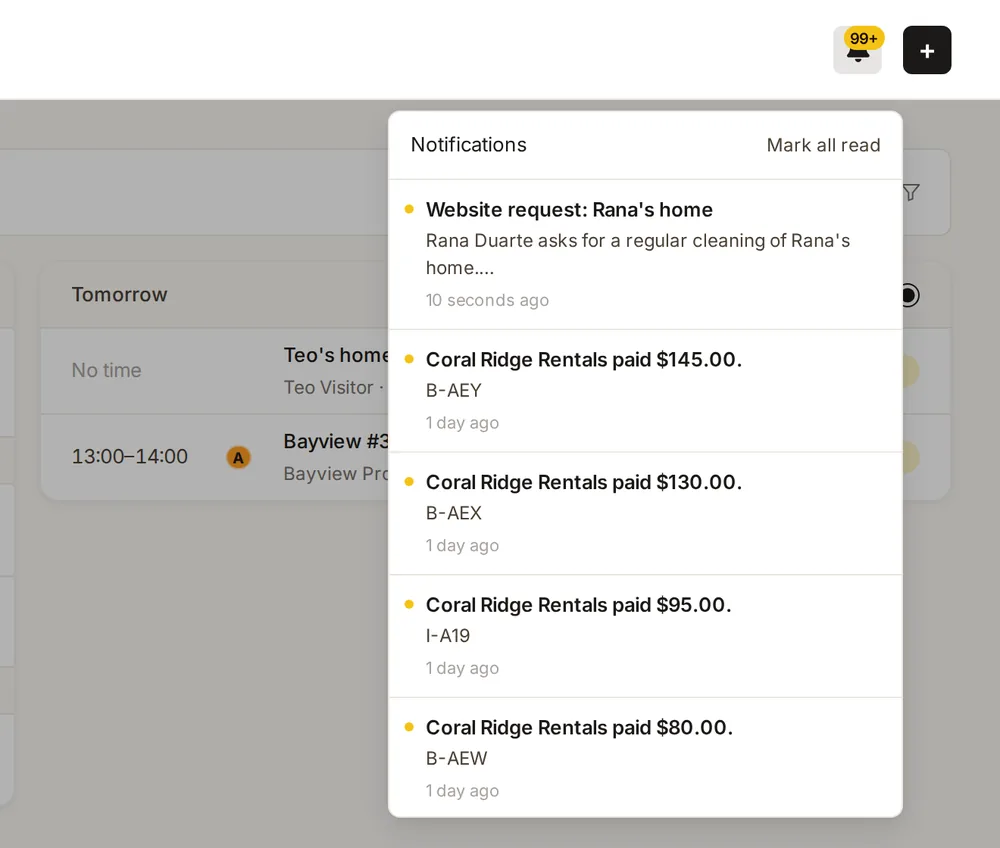
Either way the managers get a bell notification that opens the right place (the customer with "Confirm quote", the order, or the house), an e-mail of the "Website requests" type, and a text to the notification phone. The e-mail goes to the addresses on the Booking tab's "Who gets booking requests" card, or to the company address when none are added; replying to it reaches the visitor. Every request is logged with what it made.
- The Brain's app guide knows the flow, so "what did the website send today?" is a question it can answer.