
Share your booking link
Your booking page has your logo and your color and lives at useglueapp.com/book/your-company. Here is where to put the link so people find it, on Google, Instagram, Facebook, a text, or a button on your website.
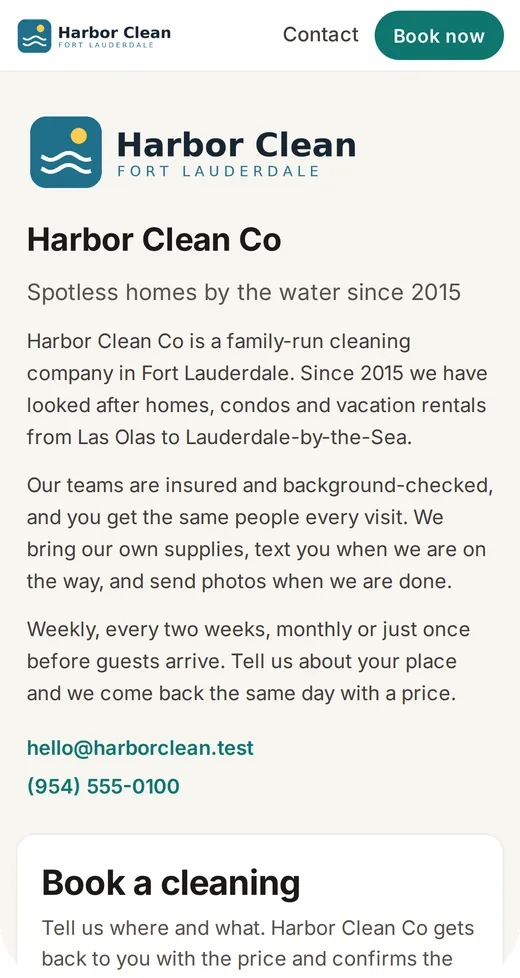
The first of three ways to take requests. The others are the form inside your website and your own form sent to Glue. The overview is the online booking page.
First, turn the page on
- In Glue, open Organization from the menu and press the "Booking" tab. On the "Booking address" card, press the pencil.
- Type a short name for your page, like
sunny-clean. Only small letters, numbers and dashes. Glue suggests one from your company name. - Save. The card shows your link, useglueapp.com/book/sunny-clean, with "Copy link" and "Open page".
- On the "Website" tab below, set "Website active" to On. Your page is public from then on.
- Press the pencil on that tab and, under "About", write a few lines about who you are, what you clean and where. The tab also shows a preview of the page.
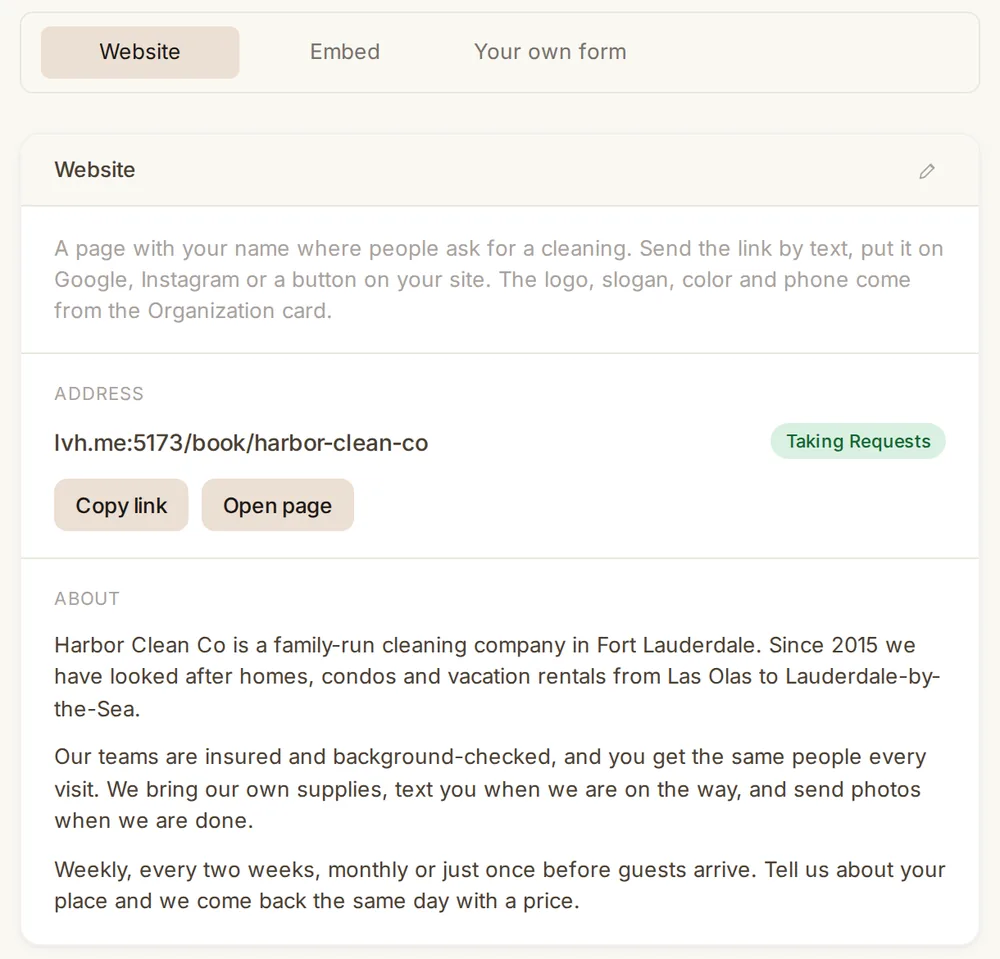
Your logo, slogan, color and phone come from the Organization card and show on the page too.
Your page
When the booking page is on, Glue serves it at useglueapp.com/book/your-company, where "your-company" is the short name you typed on your Organization card. The page shows your logo, your color, your slogan, your phone and the text you wrote under "About", with the form beside them. The visitor sees your company, not Glue. A bar at the top links to a contact page at useglueapp.com/book/your-company/contact, with a message form. Messages reach you by notification, e-mail and text, and nothing is added to your contacts until you decide.
To get the link, open the Booking tab and press "Copy link". That is all you need for everything below.
Where to put it
This works on every website and on pages that are not yours, like Google. You need no website at all: a link in a text does the same job.
- Google Business Profile. Open your profile, press "Edit profile", find "Booking" or "Appointment links", paste the link. People searching for you will see a "Book" button.
- Instagram. Edit profile, "Links", paste the link. Write "Book a cleaning" as the title.
- Facebook page. Press "Add action button", choose "Book now", paste the link.
- Text or WhatsApp. Just send the link. It opens on any phone.
- Your e-mail signature. Add a line "Book a cleaning" and link it.
A button on your website
If you have a website, add a button that opens your page. Pick your builder:
- Wix. In the editor press "+" (Add Elements), "Button", put it on the page. Press the button, "Link", "Web address", paste the link.
- Squarespace. Edit the page, "Add block", "Button". In the button settings paste the link.
- GoDaddy. Edit the site, add a section or press a button already there, under "Link" choose "URL" and paste the link.
- WordPress. Edit the page, press "+", add a "Buttons" block, press the link icon and paste the link.
- Weebly. Drag a "Button" element onto the page, press it, "Link", "Website URL", paste the link.
If you would rather have the form on your own page, so the visitor never leaves your site, use the form inside your website instead.
Can I change the short name later?+
Yes, on the Booking tab, under "Booking address". The old link stops working, so update it where you pasted it.
Can I switch the page off for a while?+
Yes. Set "Website active" to Off on the "Website" tab. The link then says the page isn't available.
Does the page show my prices?+
No. The visitor asks, and you set the price when you confirm.